iPhone app for student pilots
Get your Private Pilot certificate sooner, for less.
FlightIQ prepares you for every lesson from your instructor's last note, then turns each debrief into your next prep. The FAA minimum is 40 hours. The US average is about 75.
In beta on TestFlight. Free to start.
The lesson loop
Prep, fly, debrief, repeat
Each lesson feeds the next. The loop works even when your instructor has no time to write a note.
1. Prep
Walk in ready
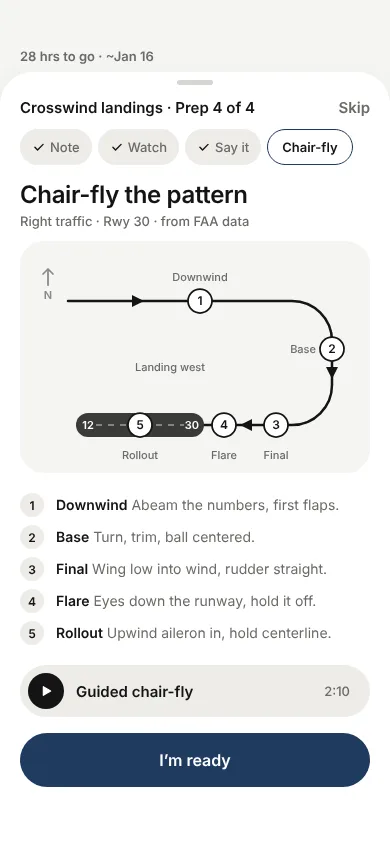
Your prep is built from your instructor's last note, so it starts where you left off.
2. Fly
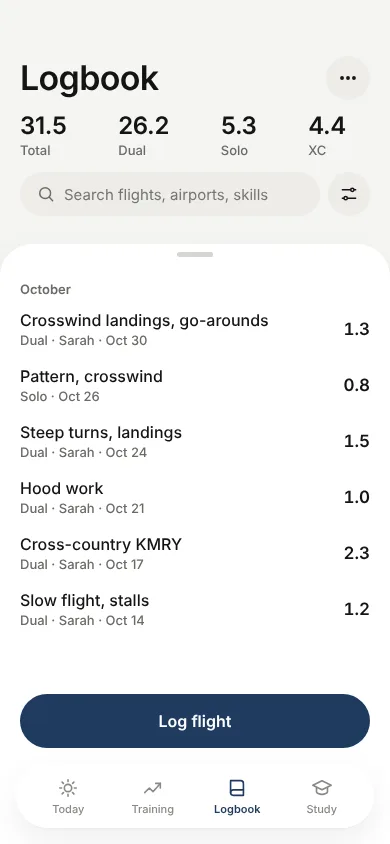
Log what you flew
Record the flight and the skills you worked on. Your logbook stays on your phone.
3. Debrief
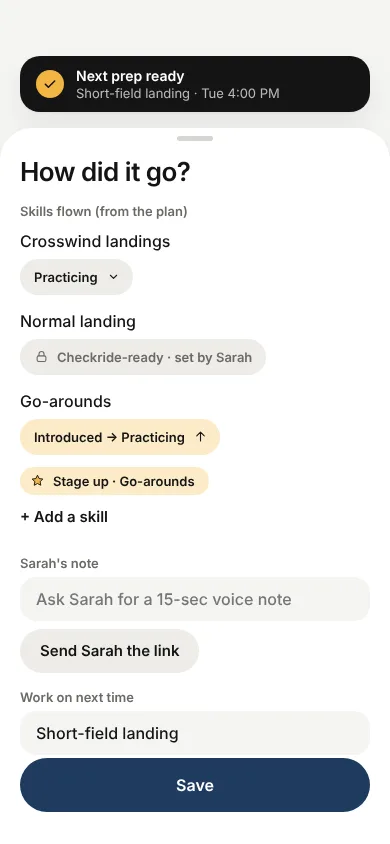
Capture the feedback
Rate how it went and add your instructor's note while it is fresh.
4. Next prep
Start the next lesson
Your instructor's note becomes the headline for your next lesson. Nothing gets lost.
Lesson prep
Prep built from your instructor's last note
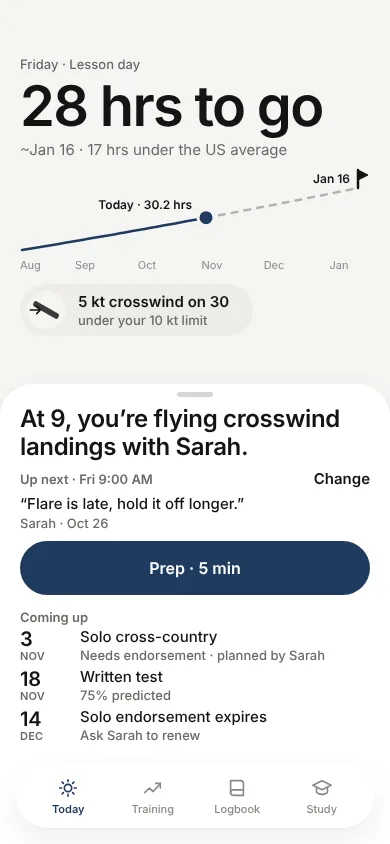
Your instructor said "flare is late, hold it off longer." FlightIQ puts that at the top of your next prep.
- A five-minute prep for the maneuvers on the plan, with a guided chair-fly.
- Your own record decides what to review, not a generic syllabus.
- No fixed lesson order. Instructors sequence training differently, and FlightIQ follows yours.
Know your airport
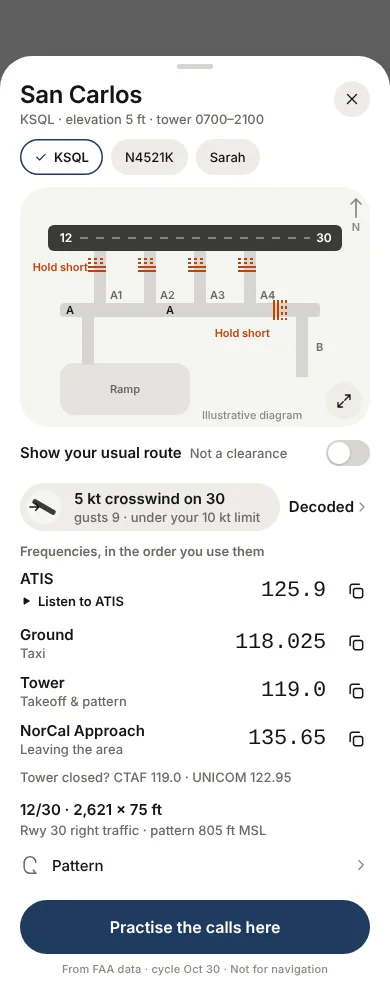
Frequencies, diagram and weather, for your lesson
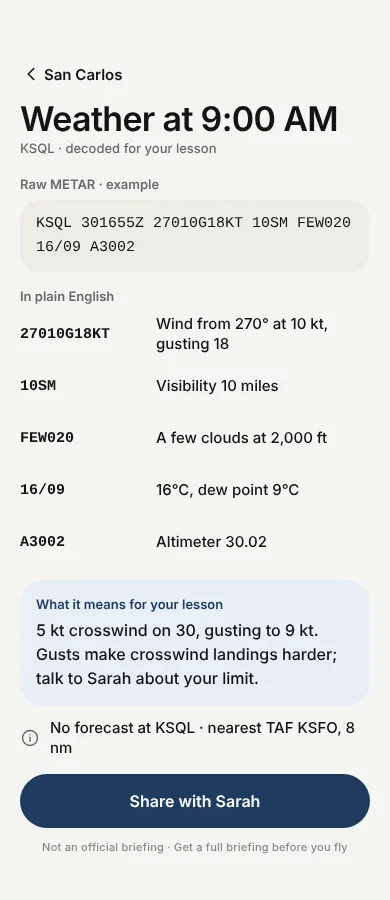
See ATIS, Ground and Tower in the order you use them. See the airport diagram before you taxi. Read the weather in plain English, framed against your own crosswind limit.
- Real FAA data for runways, pattern direction and frequencies.
- METAR decoded line by line, ending in facts such as "5 kt crosswind on runway 30, under your 10 kt limit." We never tell you whether to fly.
Weather is decoded for learning and is not an official briefing. Get a full briefing before you fly. Airport data is not for navigation.
Know your airplane
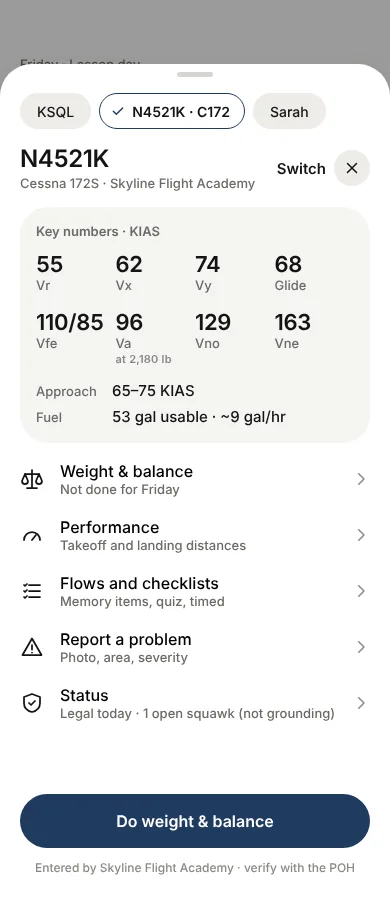
V-speeds and weight & balance, for the airplane you are flying
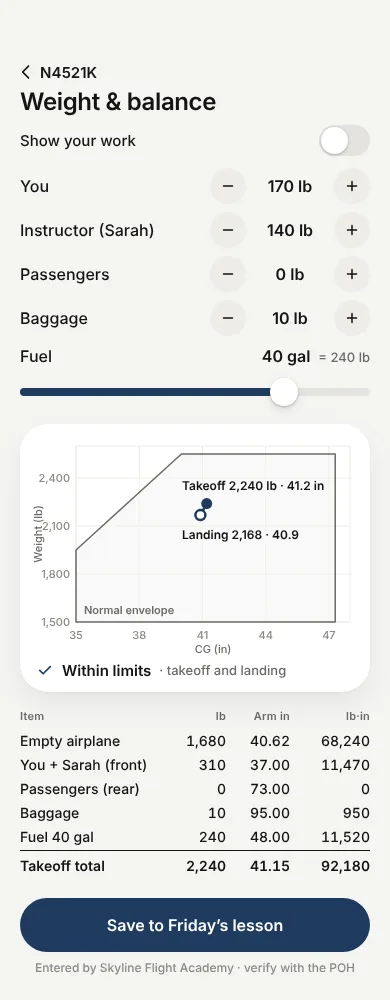
Switching between a 152 and a 172 is when numbers get mixed up. Each airplane shows its own V-speeds, and weight and balance plots your takeoff and landing on the CG envelope.
- Every number is labelled as entered by your school or by you.
- Out of limits is shown in words, not only in colour.
Verify all numbers with the POH. The POH and your school are the authority.
Written test and radio
Practise the written test and the radio calls
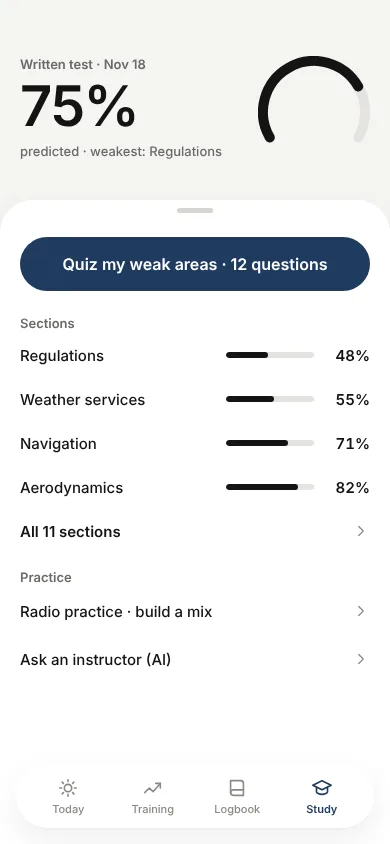
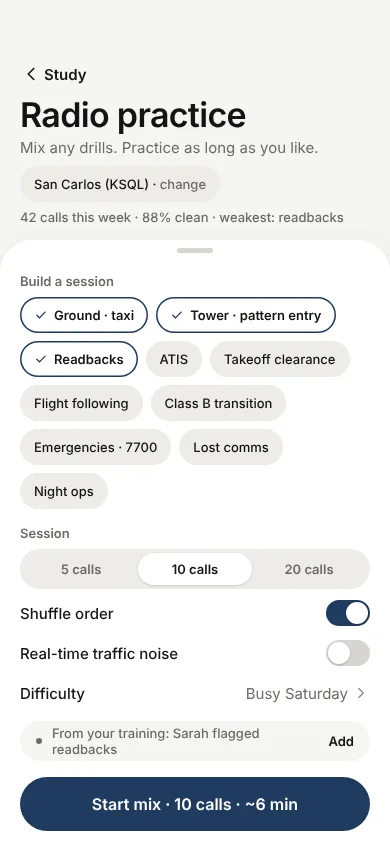
Quiz your weak areas section by section, with a predicted written-test score. Then run radio drills for ground, tower, pattern entry and readbacks at your home airport.
- Quiz your weak areas in a few minutes at a time.
- Mix any drills and practise as long as you like.
- Ask the in-app AI helper when something does not click. Your instructor remains the authority.
Hours and cost
An honest forecast of hours and cost to the checkride
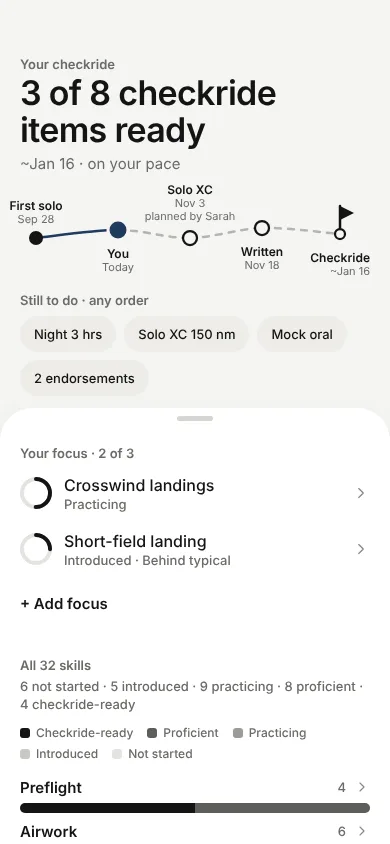
See "28 hrs to go" and an estimated date, set against the US average. The forecast comes from your own pace and updates as you fly. We show a forecast only when there is enough data to be honest.
- Your checkride items at a glance, such as "3 of 8 ready."
- Dated events only. We do not draw a syllabus route you may not follow.
Milestones
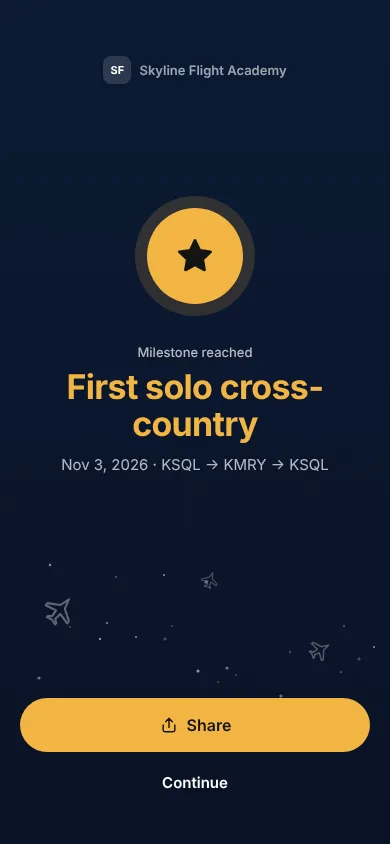
A small moment when you earn it
First solo, first cross-country, a stage-up. FlightIQ marks these and keeps the rest quiet.
Who it's for
One app, three ways to use it
Students
Prepare for every lesson, keep your logbook, and see your path to the checkride.
For studentsInstructors
One list of what needs you. Sign in batch and leave a 15-second voice note. Free.
For instructorsFlight schools
See every student's progress without chasing updates. Your name and logo in the app.
For schoolsPricing
Free to start. Free for instructors.
Students
Start free. FlightIQ Pro is $19.99 a month, with an introductory price of $9.99 a month for the first 3 months.
Instructors
Free.
Schools
Free for founding schools during the beta. Students who join through a school get Pro through the school.
Questions
Quick answers
What is FlightIQ?
FlightIQ is a study and training aid for student pilots. It helps you prepare for lessons, keep track of your hours and requirements, and remember your instructor's feedback. It does not replace a certificated flight instructor, official weather briefings or FAA regulations.
Is FlightIQ free?
You can start free. The Free plan includes a limited number of AI requests each month, your logbook and the basics of the lesson loop. FlightIQ Pro is $19.99 a month, with an introductory price of $9.99 a month for the first 3 months, and lifts the AI request limit. You can also pay for 6 months ($99.99, save 17%) or 12 months ($179.99, save 25%). Subscriptions are billed by Apple, and you can cancel anytime in Settings on your iPhone. If you join through a flight school, the school provides Pro for you.
Where is my data stored?
Your logbook, training profile and chat history are stored on your device. Progress is uploaded only if you link to an instructor or join a flight school. Chat transcripts are never uploaded. See the privacy policy for details.
Try FlightIQ on your next lesson
Join the TestFlight beta. It is free to start.