For students
Walk into every lesson knowing what to expect.
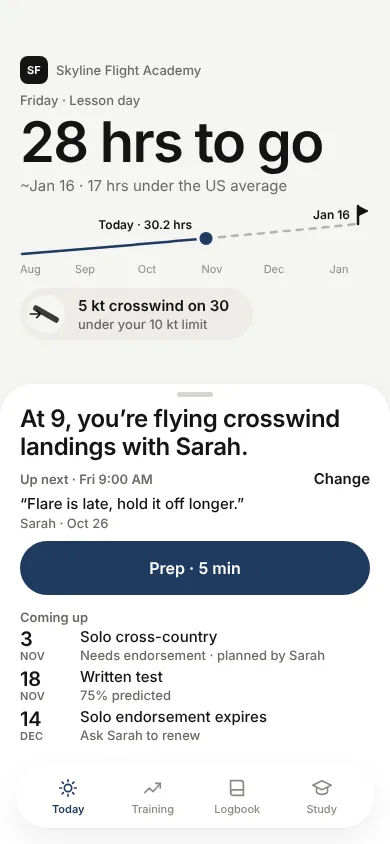
FlightIQ is the study and training companion for your Private Pilot certificate. It remembers your instructor's feedback, prepares you for the next lesson and shows how many hours remain.
iPhone, in TestFlight beta. Free to start. See pricing.
The lesson loop
Prep, fly, debrief, next prep
1. Prep
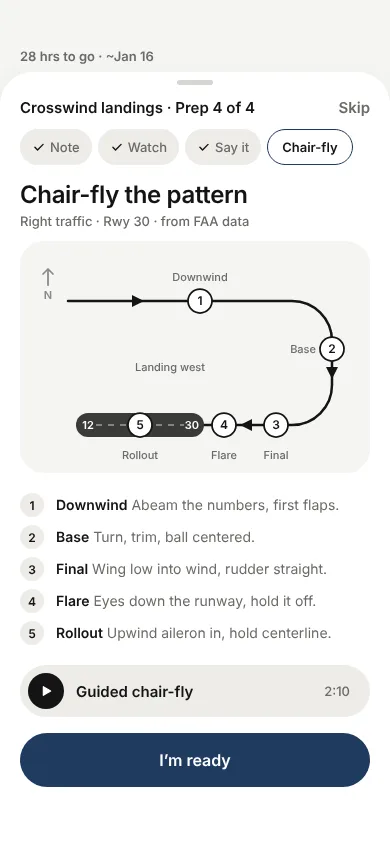
Walk in ready
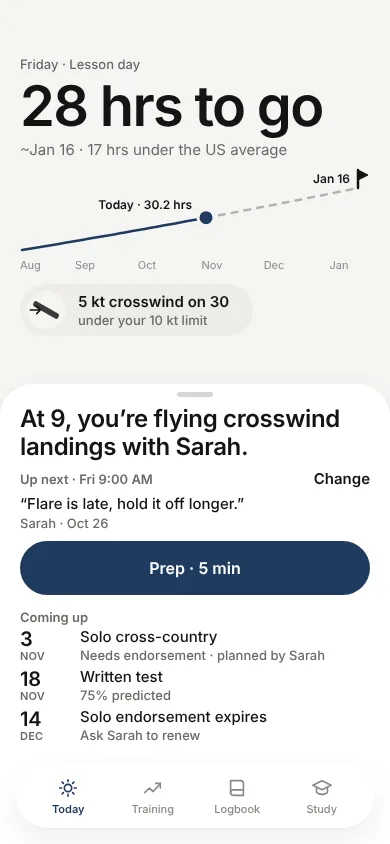
Your prep is built from your instructor's last note, so it starts where you left off.
2. Fly
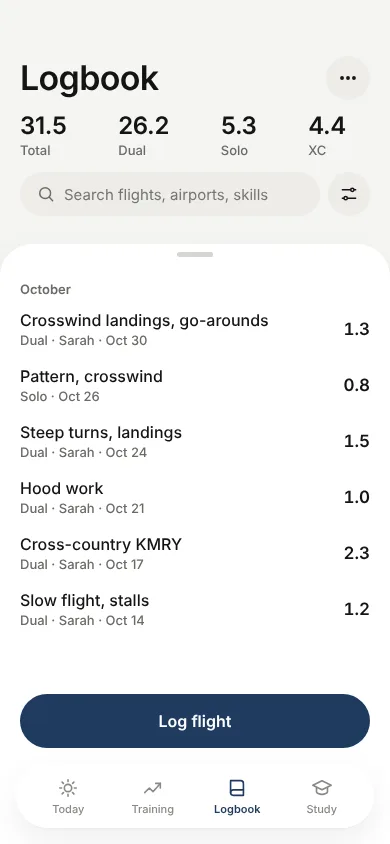
Log what you flew
Record the flight and the skills you worked on. Your logbook stays on your phone.
3. Debrief
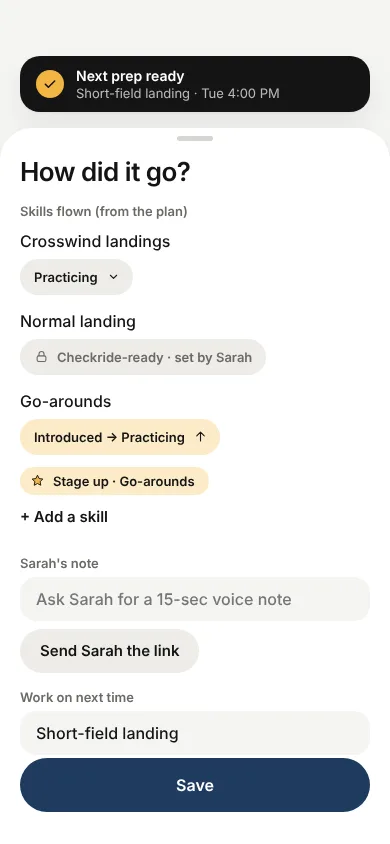
Capture the feedback
Rate how it went and add your instructor's note while it is fresh.
4. Next prep
Start the next lesson
Your instructor's note becomes the headline for your next lesson. Nothing gets lost.
Skills
See where each skill stands
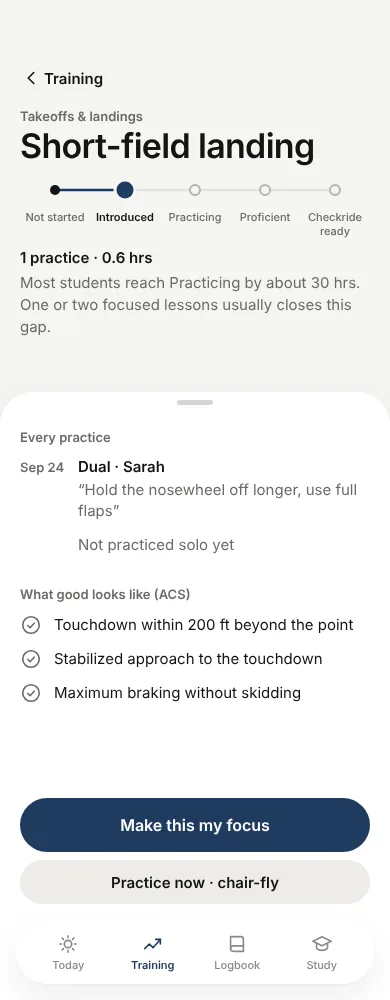
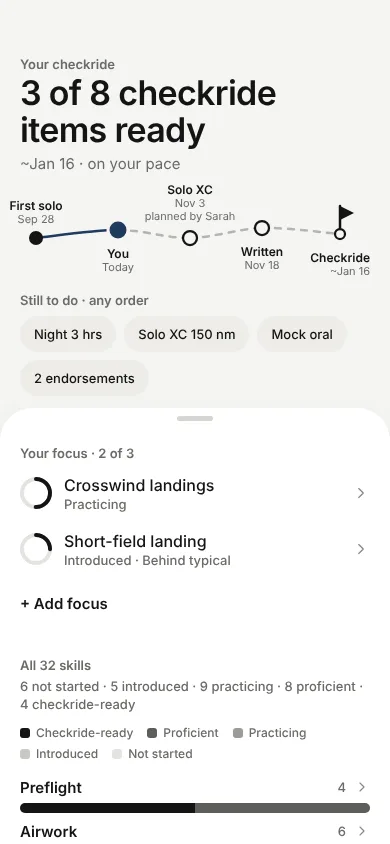
Every skill moves from Not started to Introduced, Practicing, Proficient and Checkride-ready. You rate yourself up to Practicing. Your instructor confirms Proficient and above.
- Any order. There is no fixed syllabus route. What you have not done yet is simply "still to do."
- What good looks like from the ACS, one tap away.
- Make it your focus or practise right away with a chair-fly.
Logbook
A logbook that fills in as you go
Log each flight with the skills you flew. Search by airport, skill or date. Totals for dual, solo and cross-country stay current. Your instructor signs dual entries.
- On your phone. Your logbook is stored on your device. Progress is uploaded only if you link to an instructor or join a school.
Know your airport
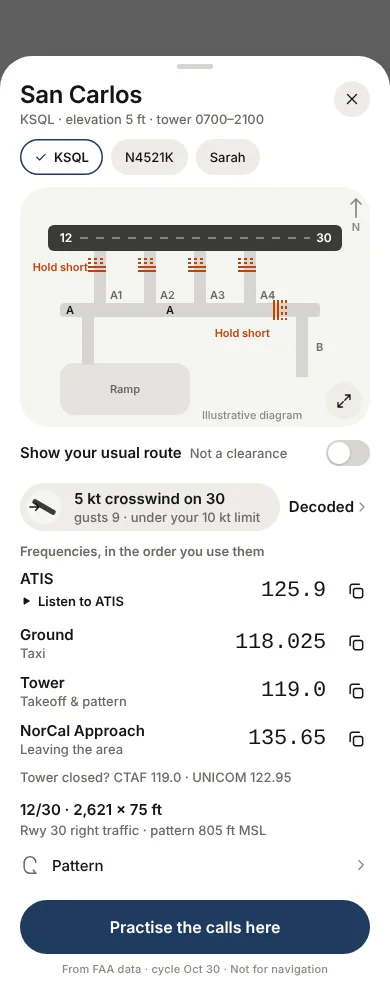
Frequencies, diagram and decoded weather
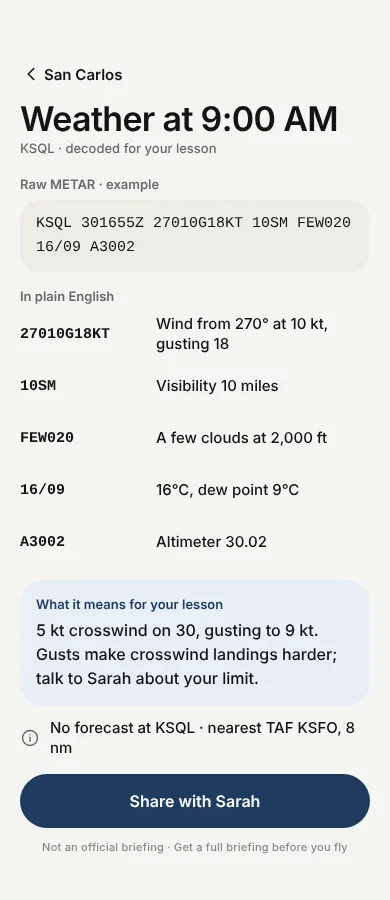
One sheet for your home airport: frequencies in the order you use them, the airport diagram, pattern direction, and the weather decoded for your lesson time.
Weather is not an official briefing. Airport data is not for navigation.
Know your airplane
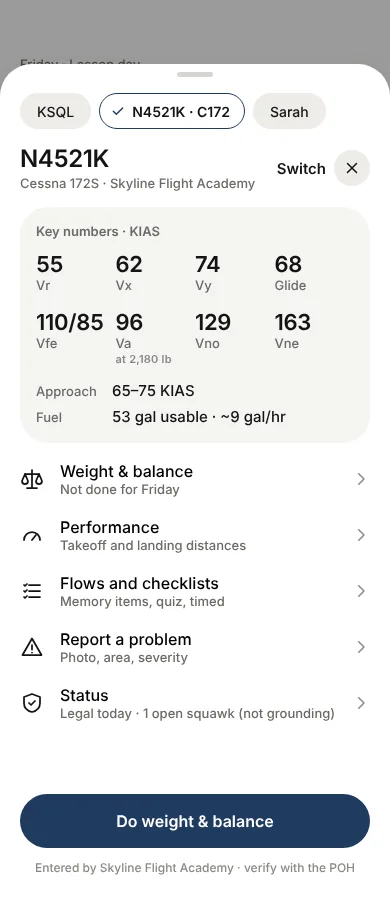
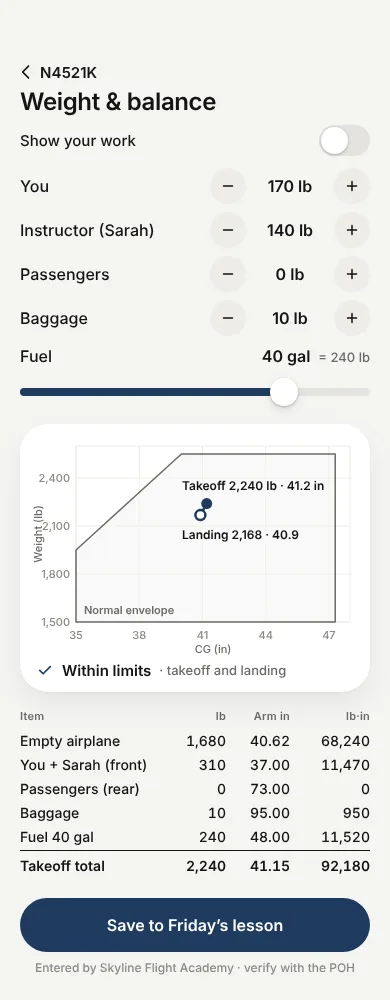
V-speeds and weight & balance
Each airplane shows its own numbers. Plan weight and balance for your next flight and see takeoff and landing on the envelope.
Entered by your school or by you. Verify with the POH.
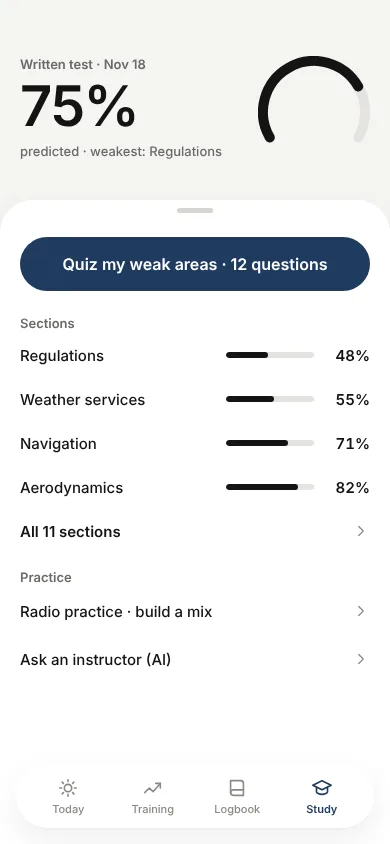
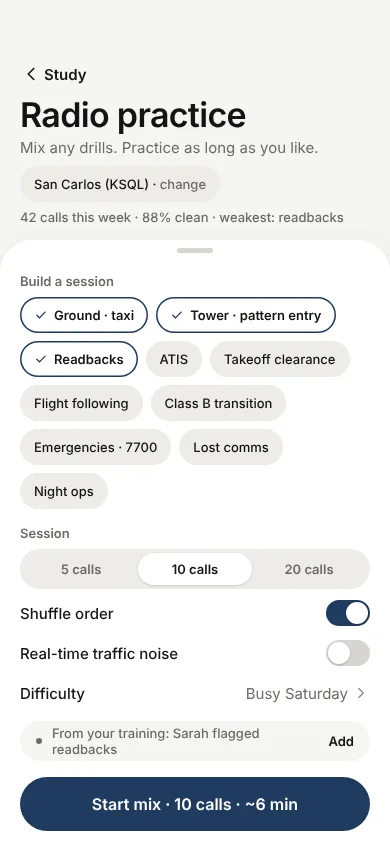
Written test and radio
Study a little, often
Quiz your weak areas, track a predicted written-test score by section, and run radio drills. Practise ground, tower, pattern entry and readbacks before you key the mic for real.
Hours and cost
See how far you are from the checkride
Your hours, your pace and the US average of about 75 hours, side by side. When there is enough data, you also get a forecast of what is still ahead.
- Checkride items, such as "3 of 8 ready."
- Upcoming dated events: cross-country, written test, endorsement expiry.
Milestones
Marked when you earn them
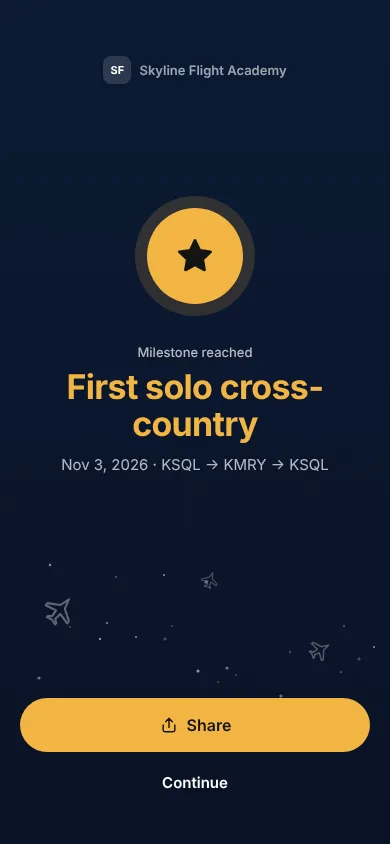
First solo, first cross-country, stage-ups. A small moment, then back to work.
Your data
You decide what your instructor sees
Linking to an instructor or joining a school is your consent, and you can revoke it. They see a progress summary: hours, requirements met, readiness and short session summaries. They never see your chat transcripts. Read the privacy policy.